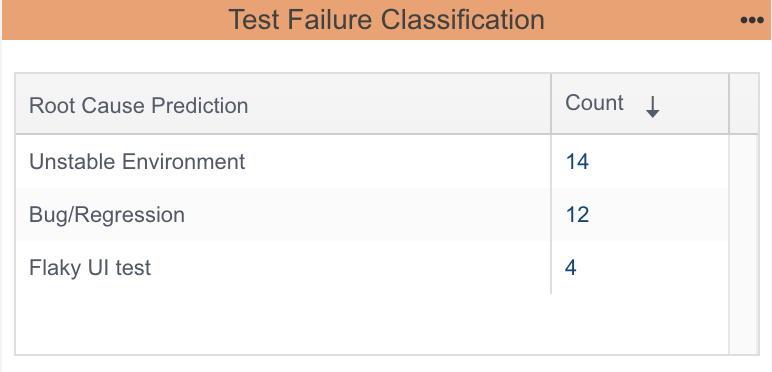
Test failure classification streamlines the debugging process by grouping failures with similar root causes. When you label failed tests, a machine learning model learns from those patterns to automatically classify future failures. This reduces repetitive triage work, speeds up investigations, and helps teams focus on fixing the most impactful issues.
Note: For the purposes of this discussion, "failed tests" refers to both failed and incomplete tests.
Labeling Failed Tests
Labeling a failed test helps capture the underlying reason for the failure so it’s easier to spot patterns across runs. Over time, these labels train the machine learning model to automatically classify similar failures.
Add labels to failed tests in the Prioritization tab of the Test Explorer. After you create a label, it will be saved and available as an option for future use.
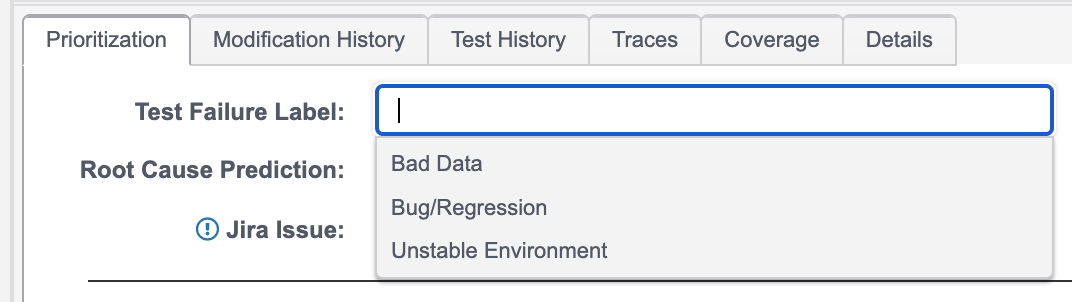
DTP tracks the association between labels and the underlying reason for failures, which is visible in the Traces tab.

Tracking Progress of Labeling
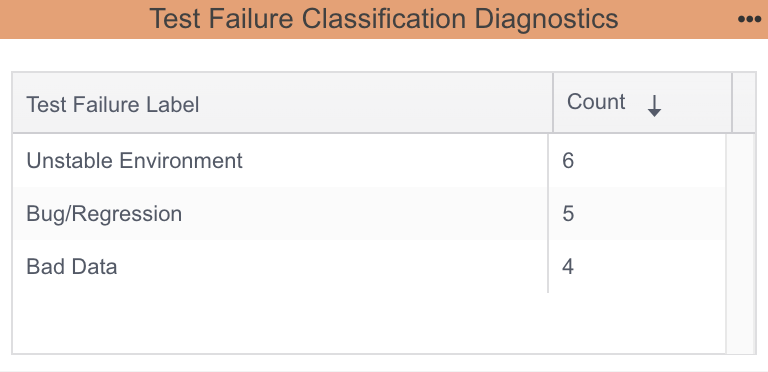
A machine learning model needs a minimum number of labeled examples to learn meaningful patterns. With too few labels, the model doesn’t have enough data to distinguish between different types of failures and may overfit to the limited examples. DTP requires having at least five instances of two different labels before training a model.
Labels are managed at the project level in DTP, meaning each project has its own set of labels. Labels you create in one project won’t appear in another, which keeps classifications organized and ensures that test failure patterns are relevant to the specific project context.
You can track how labeling is going for your project by using the Test Failure Classification Diagnostics widget.
Viewing Test Failure Classification Results
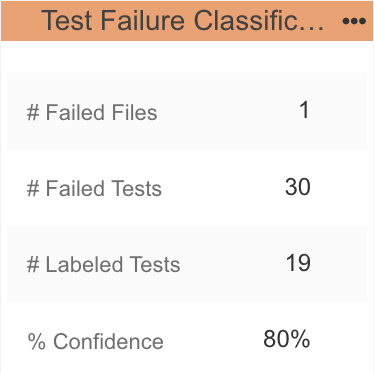
DTP provides two widgets and a report for viewing test failure classification results. Both widgets drill down to the same report.
- Test Failure Classification widget - Shows predicted root cause of all failed tests. It provides a quick overview of why tests may have failed.
- Test Failure Classification Statistics widget - Displays the number of files containing failed tests, total failed tests, labeled tests, and the confidence factor. The count of failed files indicates how concentrated the failures are within specific files. Comparing the total failed tests to labeled tests helps you identify how many failures are new, assuming previously failing tests have already been labeled.
- Test Failure Classification Report - Shows the health of the model as well as details about the test failure predictions made with the model.