When viewing unit test data, the Traces tab shows stack traces for failed and incomplete tests. If you are viewing functional or manual tests, the tab shows error messages for test failures.
Unit Test View
Click on an entry under an error message to show the test in the source code in the source panel; see Viewing Source Code.

Functional and Manual Test View
The failed test is highlighted in the source panel. The messages associated with the test failure appear in the Traces tab.
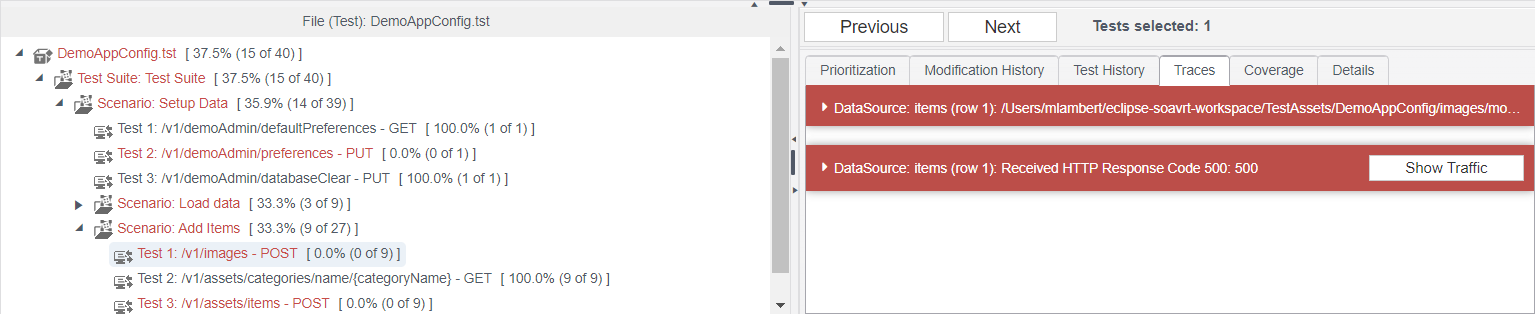
Click Show Traffic for the desired message to view the data requested during the test and the application’s response.

