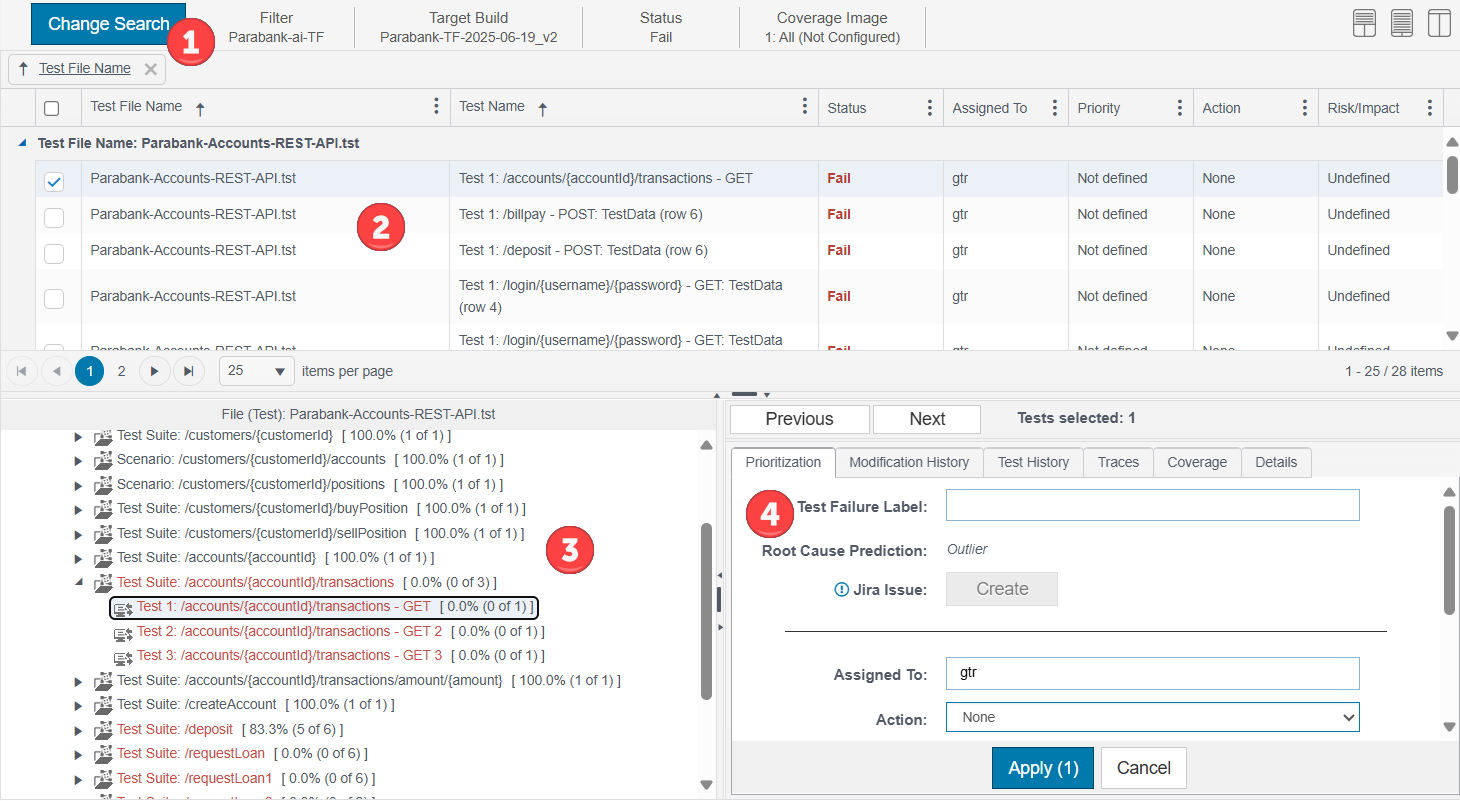
The Test Explorer provides detailed information about unit and functional tests, such as test traces, history of runs, and coverage information. Click on a unit or functional test widget from the Report Center dashboard to access the Test Explorer (see Widgets). You can also access the test explorer from the Coverage Explorer (see Coverage Explorer). The test explorer is divided into four panels:
- Search panel - see Using the Search Panel
- Search results table - see Viewing Search Results
- Source panel - see Viewing Source Code
- Actions panel - see Reviewing Test Failures