In this section:
Overview
The asynchronous socket transport is built on top of Netty and provides a number of different modes.
Installation
The tool can be installed from the UI or command line.
UI Installation
- Choose Parasoft > Preferences and click System Properties
- Click Add JARs and choose the com.parasoft.soavirt.transport.asynchronous.socket-1.0.0.jar file. Once this jar file is added to the SOAtest classpath, all of the required dependencies will be loaded.
- Restart SOAtest.
Command Line Installation
Add the com.parasoft.soavirt.transport.asynchronous.socket-1.0.0.jar file to the system.properties.classpath property in your settings properties file. For example:
system.properties.classpath=<path to jar>/com.parasoft.soavirt.transport.asynchronous.socket-1.0.0.jar
Once the classpath is modified, all of the required dependencies will be loaded.
Usage
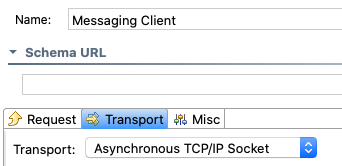
The asynchronous socket transport is primarily used in Messaging Client tools. The transport is configured in the Messaging Client's Transport tab. Choose in the Transport dropdown menu, then configure the available options.
Configuration
You can configure the following options.
Connection
| Host | Specifies the host where the application is running. You can specify a fixed value or programmatically specify the host by choosing Scripted and clicking Edit Script to access the script editor. See Extensibility and Scripting Basics for additional information. Default is |
|---|---|
| Port | Specifies the port on the host where the client will send messages. You can specify a fixed value or programmatically specify the port number by choosing Scripted and clicking Edit Script to access the script editor. See Extensibility and Scripting Basics for additional information. |
| Character Set | Specifies the character set used for encoding messages. You can specify a fixed value or programmatically specify the character set by choosing Scripted and clicking Edit Script to access the script editor. See Extensibility and Scripting Basics for additional information. Default is |
| Read Mode | Specifies how the mode for reading messages.
You can specify a fixed value or programmatically specify the read mode by choosing Scripted and clicking Edit Script to access the script editor. See Extensibility and Scripting Basics for additional information. Default is |
Fixed Length
Specify the size of the fixed message in the Fixed Length [default: 1024] field.
For example, if the size of messages is always four bytes, a client might send the following request
[0, 0, 0, 0]
The transport would send back a response of the same size, for example:
[1, 1, 1, 1]
Each four-byte message from the client would be considered a message.
Token Delimited
| Token Delimiter [default: byte "23", End-Of-Transmission-Block] | Specifies the token that delimits messages. Default is |
|---|---|
| Token Type [string, hex, byte] [default: hex] | Specifies the type of conversion used to get bytes from the token.
Default is |
Prefixed Variable-Length (Number)
The settings in this section only apply if the read mode is set to prefixed.
| Length of the Length Field (1, 2, 3, 4, or 8) [default: 4, int] | Determines the length of the length field. The desired number of bytes will be read and converted to a number to determine how long the message is. The default is to read 4 bytes and convert it to an integer. |
|---|---|
| Include Prefix in Length [true, false] [default: true] | Indicates if the length read from the prefix should also include the length of the prefix. For example, if the option is enabled, a 4-byte message would send a prefix that had a value of 8. This is because the Default is |
Prefixed Variable-Length (String)
The settings in this section only apply if the read mode is set to prefixed-string.
| String Prefix Length [the number of string digits to read in] [default: 4] | Specifies the size of the message length prefix. The number of bytes to read is calculated based on the number of digits converted into bytes. The transport encodes 0 into bytes and multiplies the number by the number provided in this field. |
|---|---|
| Include Prefix in Length [true, false] [default: true] | Indicates if the length read from the prefix should also include the length of the prefix. Default is |
SSL
Set the SSL Enabled [ default:false ] to true to listen over SSL.
Logging
Specify the Log Level field. This setting is optional.
- Enter
1to only log errors - Enter
2to log errors and warnings. - Enter
3to log errors, warnings, and info. - Enter
4to log errors, warnings, info, and debug.
Default is 3
Connection Management
You can enable the Keep connection alive or Close connection after test execution option.
