Introduction
You can connect CTP component instances to application coverage agents as part of the Parasoft Application Coverage solution. After doing so, notifications regarding coverage agent connectivity will be displayed on the environment diagram in CTP. For complete information about using the Application Coverage solution, refer to the Collecting Coverage for Web Applications guide.
Be aware that the number of coverage agents you can have connected to CTP is determined by your license. See Installing and Running CTP for more information about your license and how many coverage agents it allows. If you need to remove coverage agents from a component instance, see Removing a Coverage Agent from a Component.
Before you can connect a CTP component to a coverage agent, you need to configure the application under test (AUT) using Parasoft dotTEST or Jtest (the recommended method), or one of the command line coverage tools shipped with SOAtest or CTP that you can use to analyze application binaries if you don't have access to the project's source code. For more information about configuring the AUT using dotTEST or Jtest, see the documentation for those tools at docs.parasoft.com. For more information about using the command line coverage tools that ship with SOAtest or CTP, see Application Coverage for SOAtest and Collecting Coverage for Microservices Guide for CTP. The coverage tools shipped with CTP can be found in <TOMCAT-DIR>\webapps\em\coverage.
Once CTP has been connected to a coverage agent, data is published to DTP using the REST API or, in the case of manual testing, when stopping a manual test session. You can even publish test data from non-Parasoft testing frameworks using the REST API. You can then use the REST API to define a baseline build and query Test Impact Analysis using DTP data in CTP and take advantage of CTP's ability to aggregate impacted tests across multiple DTP projects within an environment. Go to Help (question mark icon) > API Documentation or open a browser window to http://<HOST>/em/apidoc and scroll down to the "Coverage" section to use the REST API.
If one of your CTP components is collecting .NET coverage, the dotTEST coverage agent must be running on Windows.
Connecting a CTP Component to a Coverage Agent
To connect a CTP component to a coverage agent: If you want to edit other agent.properties or agent.config.json files without needing to come to this dialog for each component, you can reuse the settings for Note: You will need to update these DTP settings when a new version of your application is deployed. You can do this either in this dialog or in the agent's properties file (agent.properties or agent.config.json); the settings will be updated automatically the next time the agent is started.ctp.websocket.url and the ctp.subscription.queue that you need to add to your agent properties file (agent.properties for Java or agent.config.json for .NET); you can copy the settings directly from here. See Application Coverage for more information about configuring coverage agents.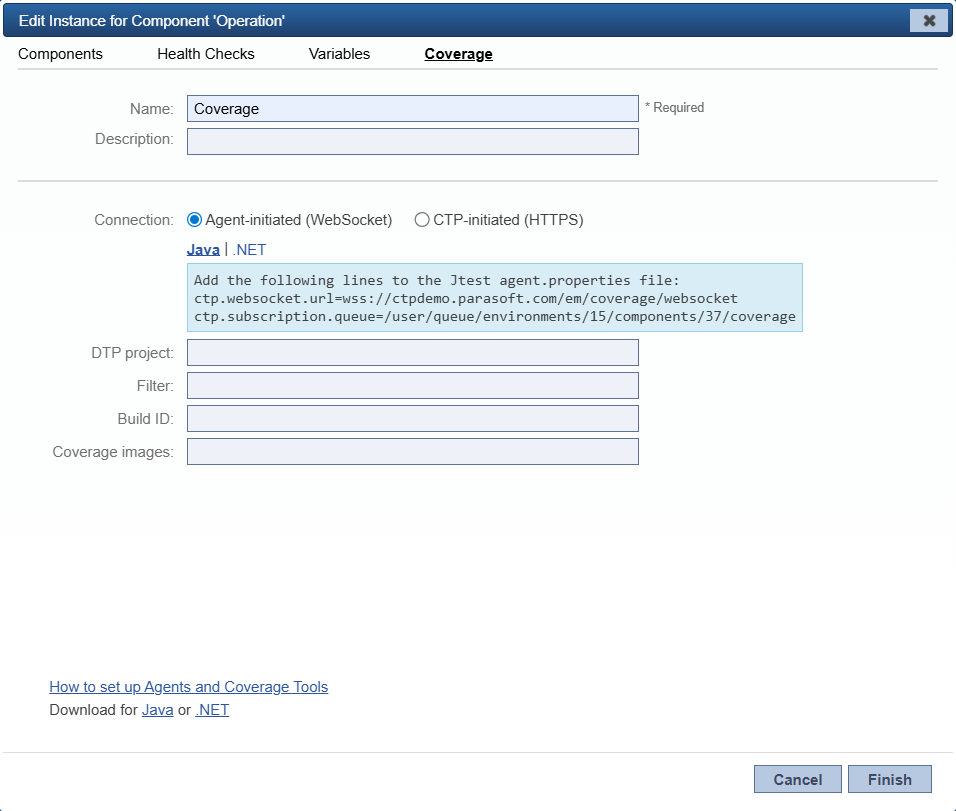
ctp.websocket.url and ctp.subscription.queue, just replace the environment ID and component ID with the values for the new component in the latter. You can find those values easily by clicking the component in your diagram and checking the URL field in your browser.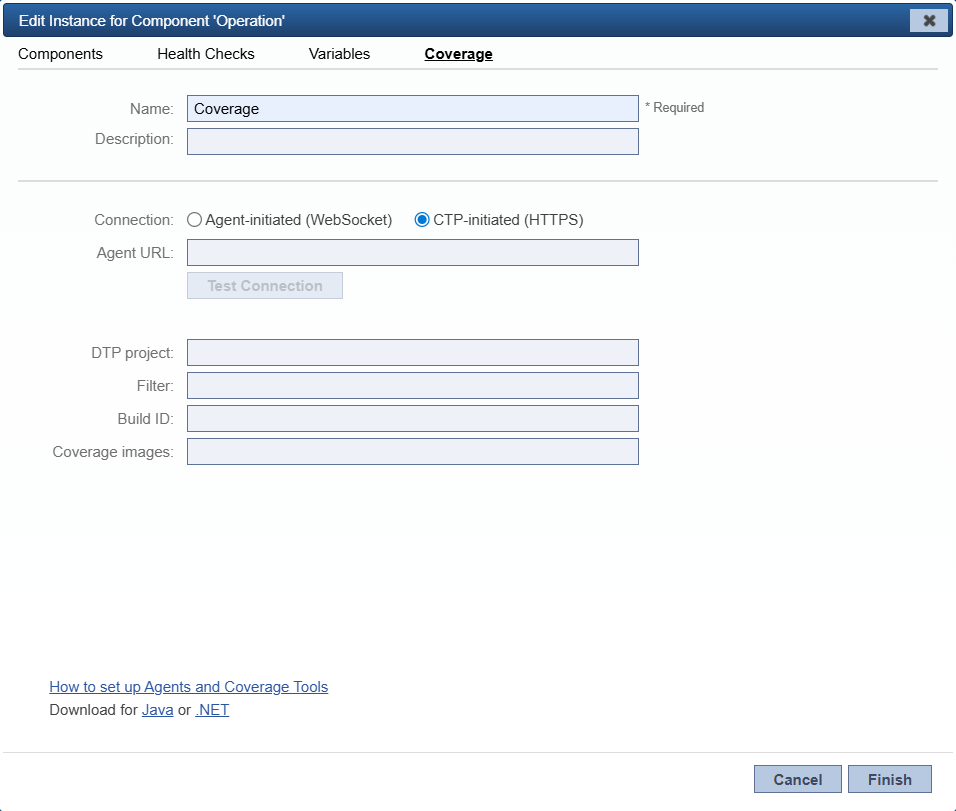
Removing a Coverage Agent from a Component
When a component has a coverage agent connected to it, a small icon will appear in the environment diagram.
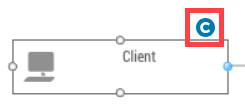
To remove the coverage agent, you can do either of the following:
- Edit the component instance (see Modifying a Component Instance's Settings), click on the Coverage tab, then delete coverage agent URL from the Agent URL field.
- Delete the component.
Coverage Agents Table
You can review all of your components and which coverage agents they are connected to in a convenient table. While in edit mode for the environment, click the Coverage Agents tab to view it. The table is organized by component name and includes relevant information regarding coverage agent, build ID, DTP project and filter, and coverage image for each.

