In this section:
Prerequisites
About the REST API
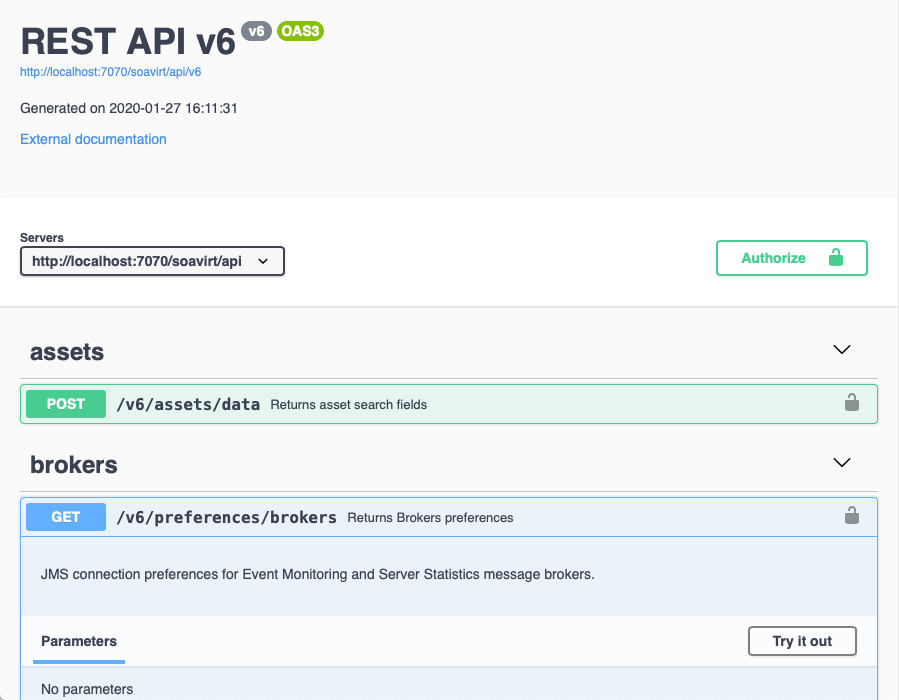
The REST API enables you to perform core operations, without using the desktop GUI, as well as integrate with other applications or tools that part of your Dev/Test infrastructure. For details, see the API documentation by opening the following URL in a browser:
http://<host>:9080/soavirt/api
Your tools may be deployed on different ports.
Authentication and User Access Controls
If the server is connected to a CTP that has security controls configured, you will need to provide the REST API valid admin-level credentials. For details, see About Virtualize Server User Access Control for additional information.
Returning Requests in GZIP Format
The REST API can return requests in GZIP format. This results in smaller payloads being sent over the wire, which decreases the amount of time it takes to read responses from the server.
To have requests returned in GZIP format, the client accessing the REST API just needs to set the following HTTP header: Accept-Encoding: gzip
Connecting to the API Using the Java Client
You can use Parasoft's Java-based client to connect to the Parasoft SOAtest/Virtualize Server so that you can start developing applications using the API.
Add the build.parasoft.com Maven repository to your pom.xml:
<repositories>
  <repository>
    <id>Parasoft</id>
    <url>https://build.parasoft.com/maven/</url>
  </repository>
</repositories>
Next, add the
com.parasoft.api.rest.clientdependency:<dependency> <groupId>com.parasoft.soavirt</groupId> <artifactId>com.parasoft.api.rest.client</artifactId> <version>2025.2.0</version> <!-- should match version of your SOAtest server --> </dependency>
The class
com.parasoft.api.rest.client.ParasoftApiRestClientenables you to connect to the Parasoft SOAtest Server and invoke various operations, such as viewing and manipulating .tst files.
Refer to the API documentation for information on the resources available through the API.
