Click on the General tab to view and edit metadata associated with the configuration. Click Save to preserve any changes you make on this tab.
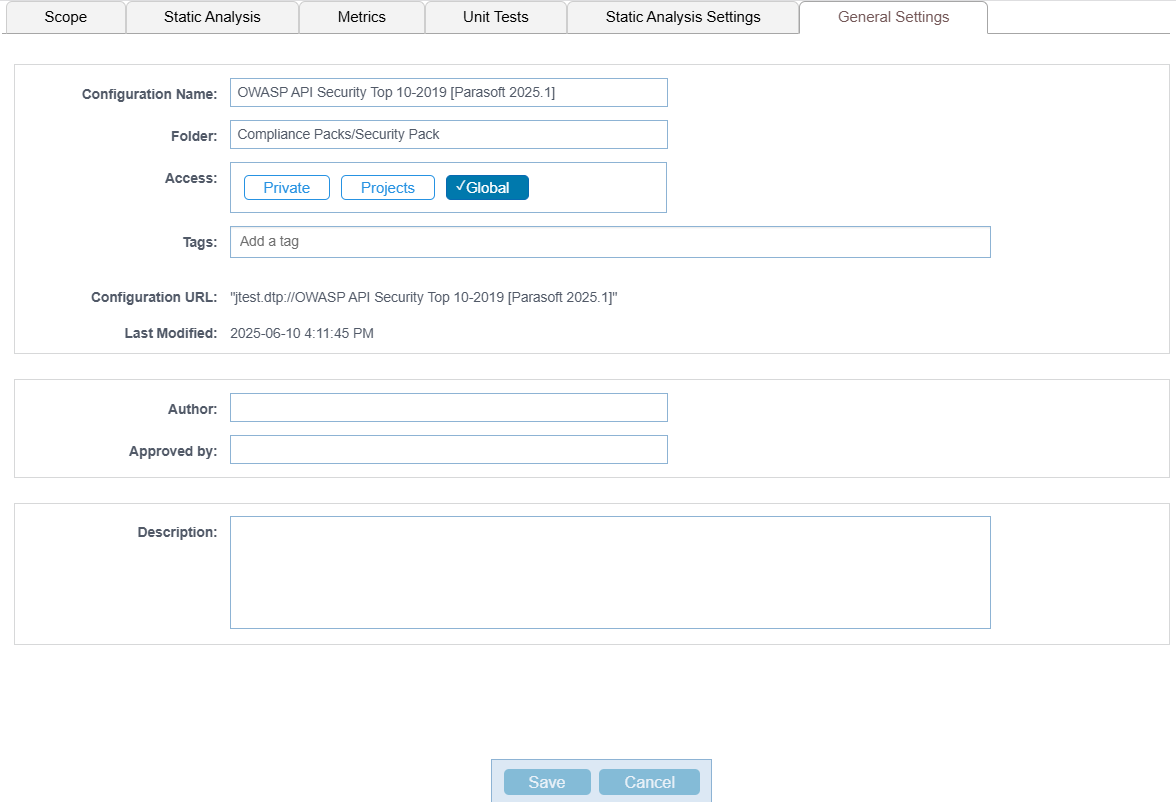
The following settings and information are available:
| Configuration Name | You can rename the test configuration. |
|---|---|
| Folder | Enter a name in the Folder field to change the location of the test configuration. Entering the name of an existing folder moves the test configuration to that location. If the name you specify doesn't exist, a new folder will be created, and the test configuration moved into it. You can also nest folders by placing a forward slash (/) between folder names.
|
| Access | Choose test configuration accessibility. See About Test Configuration Access. |
| Tags | Add or remove tags, which searchable terms attached to the configuration. |
| Configuration URL | View the configuration file URL that is consumed by the code analysis and test execution tool. This cannot be changed. |
| Last Modified | View when the test configuration was added or updated. |
| Author | Add an author. The author may be resource for team members who can provide guidance. |
| Approver | Add an approver. The approver may be someone who can provide additional information about the test configuration or serve as a quality gate. |
| Description | Add a description to provide additional information about the configuration. Descriptions may help team members understand the goals associated with the test configuration. |

