Click the Static Analysis Settings tab to enable/disable static and flow analysis. The available options may vary depending on the code analysis tool. See the documentation for your tool for additional details.
Click Save to preserve any changes you make on this tab.
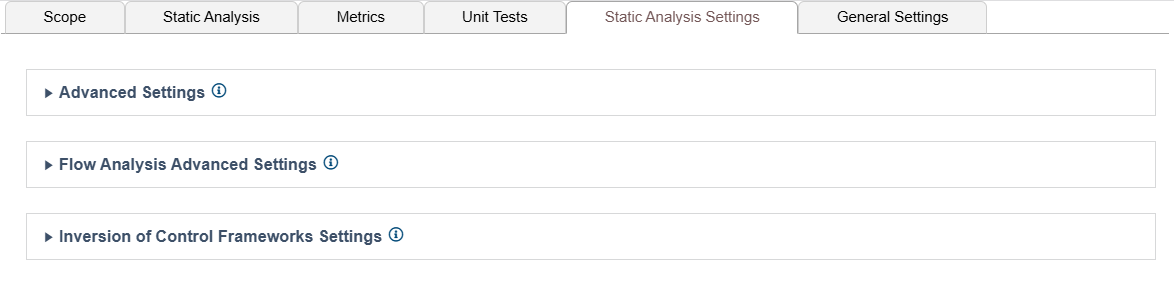
Advanced Settings
Expand the Advanced Settings section to enable the following options:
- Set an upper limit on the number of violations that can be reported for each rule.
- Enable/disable suppressions configured on the engine host.
- Enable/disable the automatic suppression of violations across a group of equivalent rules when any of these rules is suppressed at the point of violation.
- Enable Skip global analysis to prevent the collection and use of global data (Jtest only).
- Enable/disable generating additional metadata to help the machine learning feature on DTP to more accurately classify violations (Jtest and dotTEST).

Flow Analysis Advanced Settings
Expand the Flow Analysis Advanced Settings section to configure settings related to performance, reporting verbosity, null-checking method parameterization, and resources checked.
Performance Settings
Expand this section to access options related to depth of analysis and machine performance. By default, flow analysis performs a complete analysis of the scope, which can take considerable time when running on large code bases.
You can configure the following options:
| Incremental analysis | Enable Enable incremental analysis to run flow analysis in incremental mode. Incremental mode reduces the time required to run analysis during nightly runs on a single code base that changes from day to day. Enable Compact incremental caches and specify how frequently unnecessary data that may have been cached is removed. This option is available for C++test only. |
|---|---|
| Depth of analysis | Choose the depth of flow analysis. A deeper setting results in more findings but may results in slower analysis and greater memory consumption. |
| Strategy for timeouts | Configure the timeout settings for flow analysis. Enable time and specify how many seconds flow analysis should wait before timing out when analyzing a single point in the code. Enable instructions and specify the maximum number of flow analysis instructions allowed when analyzing a single point in the code. Enable off to disable timeouts. |
| Enables swapping of analysis data to disk | Enable this option to allow the flow analysis tool to write the data necessary for analysis to disk. This prevents flow analysis from consuming all available memory when analyzing a large project in which the data represents a semantic model of the analyzed source code. |
Verbosity Settings
Expand this section to access options related to how much detail is included in the report.
The following options are available:
| Do not report violations when cause cannot be shown | Enable this option if you want to exclude violations that lack a cause from being reported. Complete paths from the cause to the point of violation are reported if this option is enabled, but violation causes are not reported for paths that have multiple causes. |
|---|---|
| Do not report more than one violation per point | Enable this option to restrict the number reported violations when the cause or point of violation is shared. |
| Do Not report violations whose paths pass via inline assembly code | Enable this option to report violations whose paths are passed with inline assembly code instructions. C/C++test only. |
| Report problems with building analysis data | Enable this option to report a set up problem if flow analysis encounters a problem while building analysis data. |
Null-Checking Methods Settings
Expand the Null-checking methods section to specify the expected return value when a null parameter is passed to a method. This reduces false positives and excessive paths that would normally be built when the return value of a null variable is unknown. These settings are not available for C/C++test.
Click the add icon (+) to add a new parameterization. Click the delete icon (x) to remove parameterizations.
Terminators Settings
Expand the Terminators section to define functions that terminate application execution. These settings are available for C/C++test only.
Click the add icon (+) to add a new terminating function API.
Configure the terminator in the fields provided. See the C/C++test documentation for details.
Multi-Threading Settings
Expand the Multi-threading section to define functions for synchronization between threads and to activate/deactivate the multi-threading functions already listed. The options specified here affect the rules from the BD.TRS (Threads and Synchronization) category. These settings are available for C/C++test only.
Click the add icon (+) to add a new function.
Specify a name and configure the function. See the C/C++test documentation for details.
Resources Settings
These settings allow you to define which resources should be checked by the resources rules (BD.RES category). These rules verify the correct usage of all resources that are defined and enabled in this tab.
Click the add icon (+) to add a new resource.
Specify a name and configure the resource.
Always Analyzed Methods Settings
Allows you to define methods that will always be analyzed when encountered on the execution path. This helps you ensure that the rule will analyze methods it would normally not enter when checking a given path.
Click the add icon (+) to add a new method.
Specify a name and configure the method.
Spring HTTP Request Annotations that Taint Method Parameters Settings
Allows you to define Spring annotations that taint one or more parameters of a method (only affects rules from the BD.SECURITY category that specify a list of tainted data sources where the 'Spring http requests' option is enabled). There are separate tables for performance and method annotations. These settings are available for Jtest only.
Click the add icon (+) to add a new annotation.
Specify a name and configure the annotation.
Extended Scope of Analysis Settings
When performing code analysis, Flow Analysis processes definitions of functions that are defined in source and header files under test. Functions that are defined in header files outside the testing scope are not analyzed, and Flow Analysis is not aware of their semantics. If Flow Analysis requires information about function definitions that are defined in header files outside the testing scope. These settings are available for C/C++test only.
You can configure the following settings:
| External files to analyze | Specifies absolute paths to additional header files to be analyzed by Flow Analysis. Use wildcards to specify the pattern. |
|---|---|
| External functions to analyze | Specifies additional functions to be analyzed by Flow Analysis. Complete the table with the following information:
|
Compiler-Specific Settings
These settings allow you to define advanced compiler-specific arguments. These settings are available for C/C++test only.
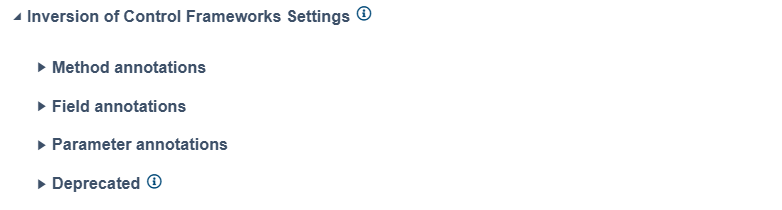
Inversion of Control Framework Settings
Expand the Inversion of Control Framework Settings section to specify annotations used for injecting/initialization values during runtime. You can expand the sections for method, field, and parameter annotations to view a table that you can customize. These settings are available for Jtest only.