Introduction
Agent2Agent (A2A) is an open protocol enabling communication and interoperability between opaque agentic applications. Parasoft SOAtest is well-suited for testing A2A with its built-in JSON processing tools, LLM integration, and extensions for a wide array of underlying transports.
A2A Test Scenario Example
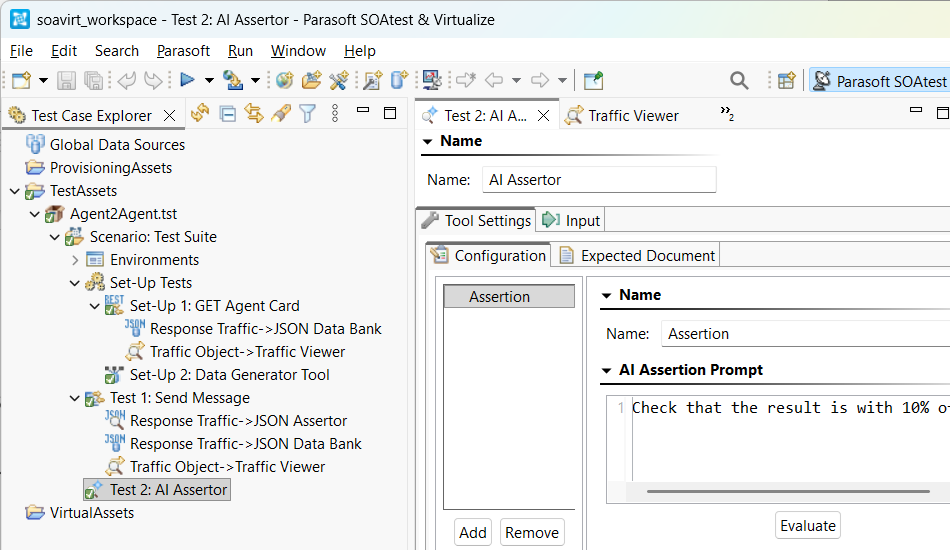
The following example illustrates how to create an A2A test scenario in SOAtest:
- Create a new .tst and an environment with the URL to your Agent Card.
- The Agent Card functions as a public, machine-readable JSON metadata document, serving as an agent’s digital “business card” and advertising its identity and capabilities to potential clients.
- It is typically published at a well-known URI, often
/.well-known/agent-card.json. - The Agent Card is crucial for enabling agents to find and understand how to interact with one another.

- Create a REST Client as a Set-up Test to GET the Agent Card using the environment variable
${AGENT_CARD}for the resource.- Run the test once, then attach a JSON Data Bank to the Response Traffic and extract the
urlproperty to a custom column namedBASE_URL. - Use XPath:
/root/url[1]/text()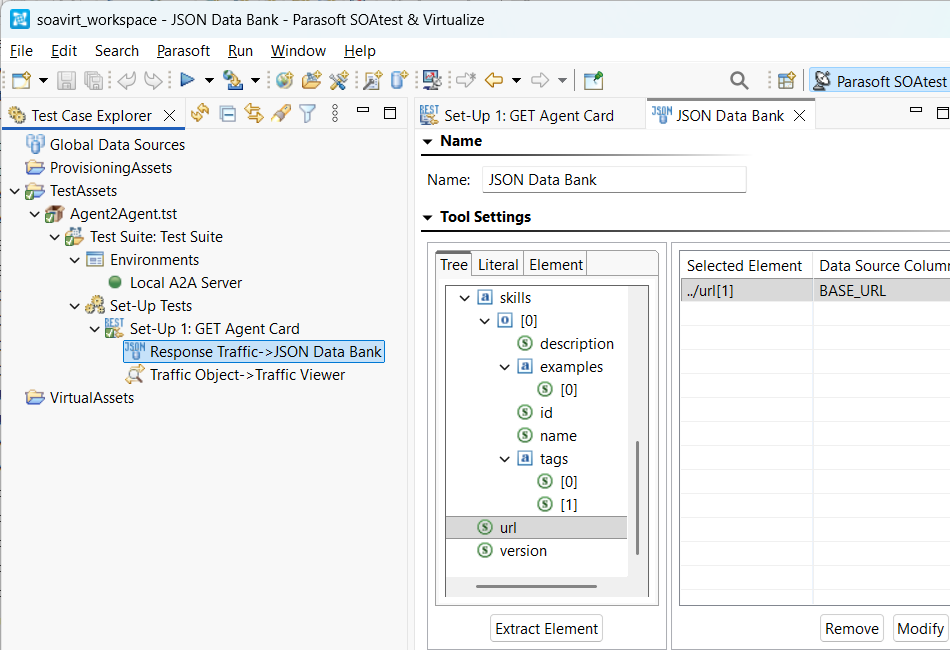
- Run the test once, then attach a JSON Data Bank to the Response Traffic and extract the
- Create a Data Generator Tool as another Set-up Test to generate two random, unique ID Strings for
JRPC_REQUEST_IDandA2A_MESSAGE_ID.- Use Pattern: &&&&&&&&-&&&&-&&&&-&&&&-&&&&&&&&&&&& for
JRPC_REQUEST_ID. - Use Pattern: &&&&&&&&&&&&&&&&&&&&&&&&&&&&&&&& for
A2A_MESSAGE_ID. - Use Character map:
1234567890abcdeffor both. - Be sure to configure the corresponding Data Source Column for each String.
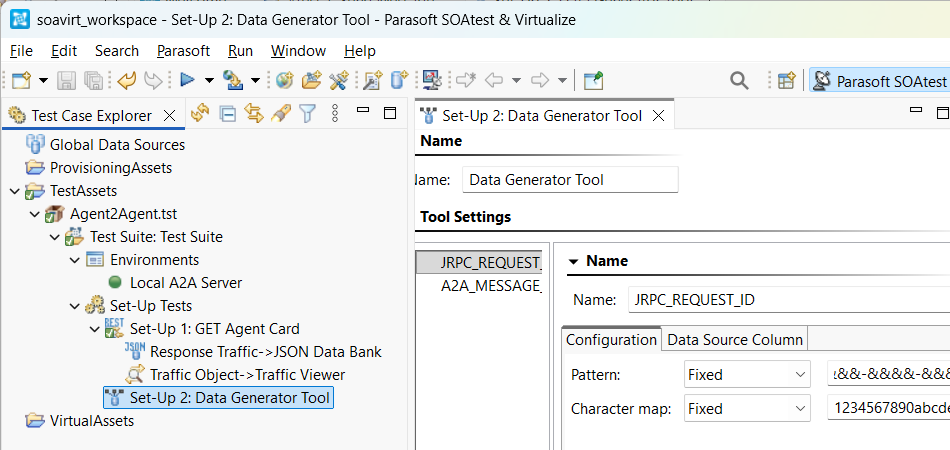
- Use Pattern: &&&&&&&&-&&&&-&&&&-&&&&-&&&&&&&&&&&& for
- Create a Messaging Client as a Standard Test to send a message to the agent.
- Configure the Transport tab with HTTP/1.1 so that it will POST to Router endpoint:
${BASE_URL}. - Alternatively, if your A2A server is using gRPC then install the gRPC extensions from the Parasoft Marketplace and configure the Messaging Client to use gRPC transport.
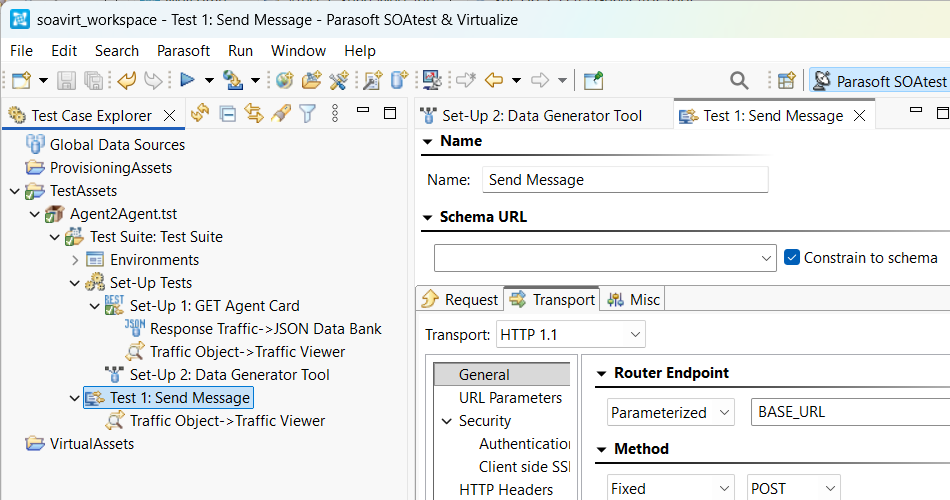
- Configure the Transport tab with HTTP/1.1 so that it will POST to Router endpoint:
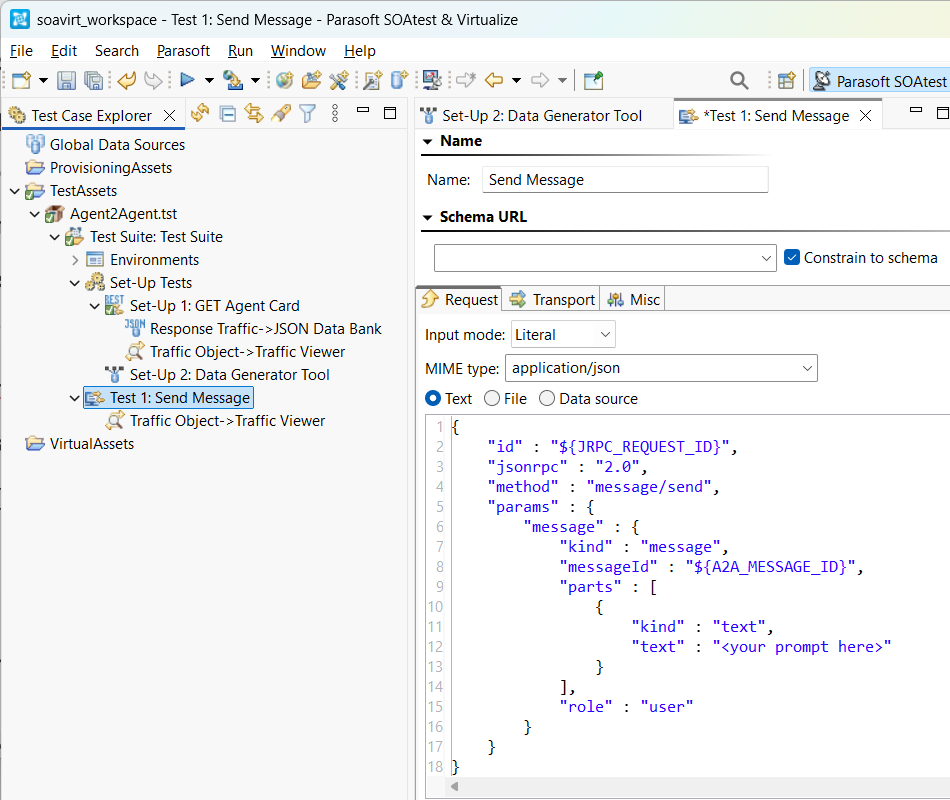
- Configure the message request. Change to Input mode: Literal and select MIME type: application/json. Paste in the following and configure your prompt to the agent:
{
    "id" : "${JRPC_REQUEST_ID}",
    "jsonrpc" : "2.0",
    "method" : "message/send",
    "params" : {
        "message" : {
            "kind" : "message",
            "messageId" : "${A2A_MESSAGE_ID}",
            "parts" : [
                {
                     "kind" : "text",
                     "text" : "<your prompt here>"
                }
            ],
            "role" : "user"
        }
    }
}
- Add a JSON Assertor to the Response Traffic to check for errors and assert that the result state is complete.
- To check for errors, add an Occurrence Assertion (under Structure Assertions) for XPath:
/root/errorand configure it so that Occurrences of element must be==expected value:[Fixed]0. This will fail the tests if there are any errors. - To assert that the result state is complete, add a Value Assertion for XPath:
/root/result/status/state/string()and configure it with Expected Value:[Fixed]completed. This will fail if the A2A server cannot complete the task, such as if more user input is required.
- To check for errors, add an Occurrence Assertion (under Structure Assertions) for XPath:
- Add a JSON Data Bank to the Response Traffic to extract the result text into a custom column named
RESULT_TEXT.- Use XPath:
/root/result[1]/artifacts[1]/item[1]/parts[1]/item[1]/text[1]/text()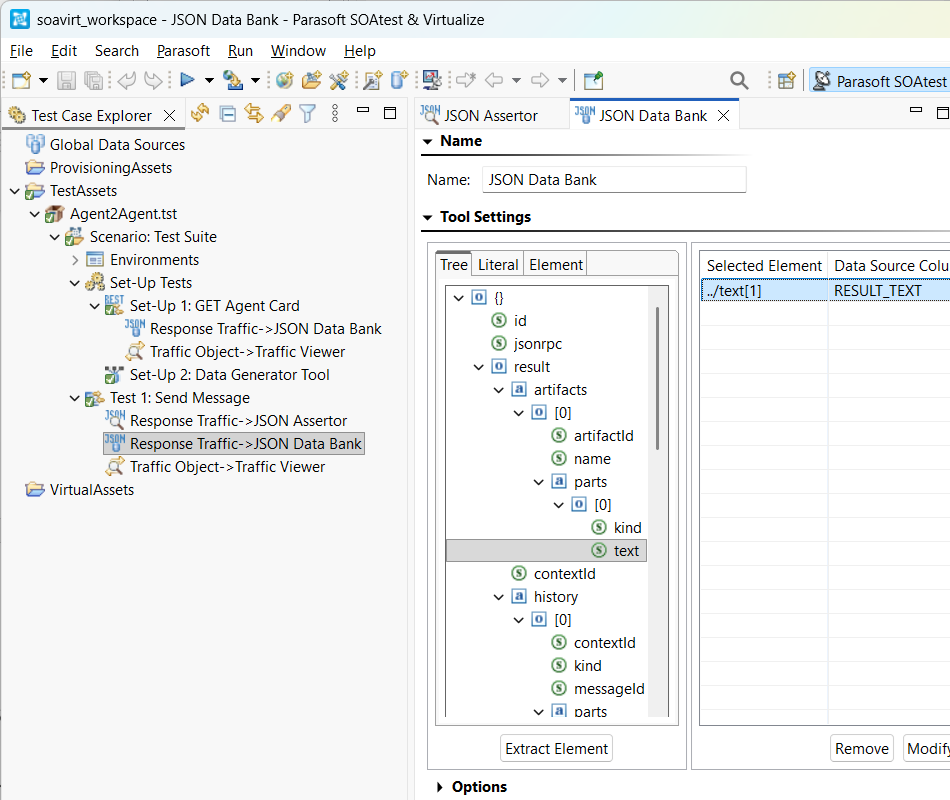
- Use XPath:
- Add an AI Assertor as a Standard Test after the Messaging Client. The AI Assertor in SOAtest will use its LLM integration to decide if the result text meets the acceptance criteria.
- The result text will be non-deterministic because it is AI-generated, so an AI Assertor is needed instead of a standard diff tool or XPath-based assertor.
- Configure the AI Assertor input to use Data source column:
RESULT_TEXT. - Add an assertion with a natural language prompt.