SOAtest can automatically create API tests for web applications from API traffic captured with Parasoft Recorder. Tests created in this way are referred to as "smart" API tests and are created using Smart Test Templates (.stt). The out-of-the-box implementation is designed to help you quickly start testing your APIs, but you can also "teach" SOAtest how you want smart API tests to be generated.
You can customize how tests are generated by configuring settings in tst_creation.properties, the test creation properties files shipped with SOAtest. See Test Creation Properties.
SOAtest will automatically create tests using the applicable test creation configuration file based on the Parasoft Recorder configuration. See Parasoft Recorder for additional information.
You can create Smart Test Templates to define rules that determine test generation behaviors. These files contain one or more Resource Suites, which identify paths through the application to which your test generation rules will be applied.
Resource Suites contain one or more Resource Templates, which define a scope of API methods and resources to include when the smart test is generated. You can attach tools to Resource Templates and configure them to define specific test generation behaviors. Tools chained to the Resource Template are applied according to the scope defined in the Resource Template.
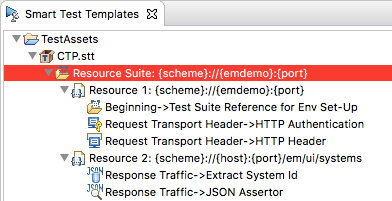
When the SOAtest creates a new smart API test, it will read and apply the rules specified in the .stt file.
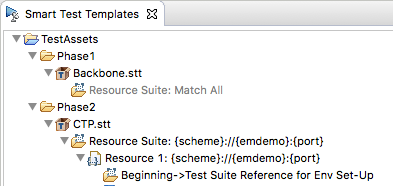
You can create and manage .stt files using the Smart Test Templates View. Additionally, you can add multiple .stt files and organize them into folders.
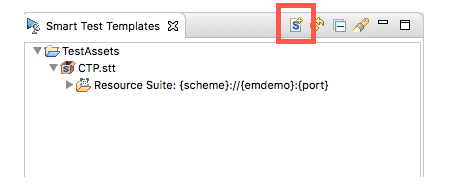
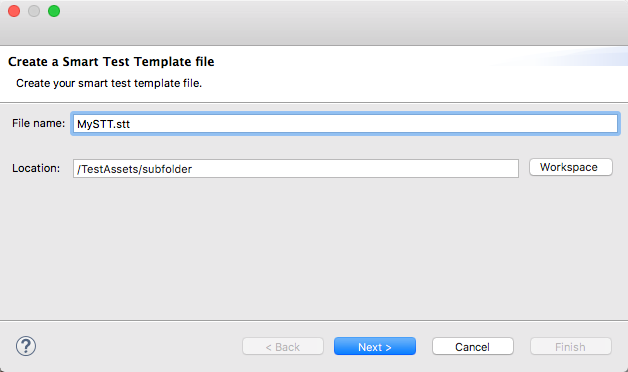 e
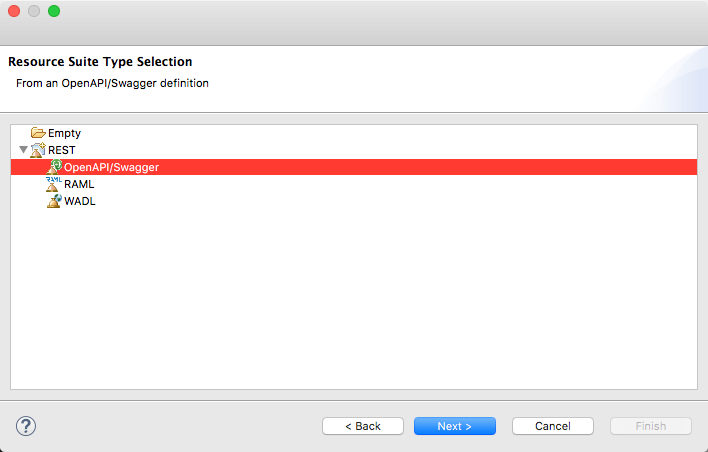
eChoose the type of Resource Suite to create. You can create an empty suite or initialize the suite based on a service definition.
If you are using a definition file, see the following sections for additional information:
Creating Tests from an OpenAPI/Swagger Definition
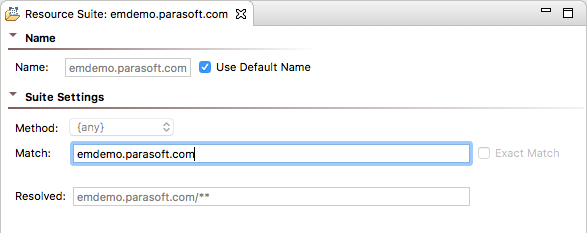
Choose a method from the Method menu and specify a pattern in the Match field to identify the endpoints you want the rules in the template to apply to (see Defining Smart API Test Generation Scope). The Resolved field renders a preview of the pattern. Resource Templates inherit the Match settings from the parent Resource Suite. You can disable Exact Match if you want to allow SOAtest to generate tests for all sub-paths specified in the Match field. Exact Match is enabled by default. 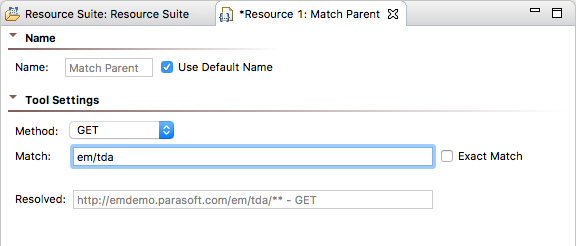
When SOAtest determines a match in the Resource Template, configurations from all chained tools are applied. You can determine how to structure template files and configure matching patterns accordingly. See Example Smart Test Template for a common use-case.
JSON Assertor tools chained to Resource Templates can be configured to use the values from traffic if present. See Adding JSON Assertions for additional information. |
Generate a test from an existing traffic file or create a new test using the Parasoft Recorder browser extension and the configurations defined in the .stt file will be applied.
Patterns you define in Resource Suites and Resource Templates will be matched according to the following rules:
{}) indicate wildcards and can contain any text. For example, you can specify a pattern that translates into scheme, host, and port:{scheme}://{host}:{port}
*) also indicate wildcards. A single asterisk and curly braces can be used interchangeably: {scheme}://{host}:*/parabank/*/accounts/{id}{scheme}://{host}:*/parabank/**/{id}
/parabank/services_proxy/bank/accounts/{id}65535 for the port treats the port as a wildcard.Default Scope
By default, SOAtest will create tests for all resources called in the scenario and only apply training tools to resources identified with the Resource Template tools. You can configure SOAtest, however, to include or exclude specific resource URLs from test generation by specifying Ant-style patterns in the includeURLPatterns and excludeURLPatterns in the tst_configuration.properties file. See Test Creation Properties for additional information.
SOAtest uses the HTTP Authentication tool for configuring authentication credentials for your tests. The HTTP Authentication tool is a special tool that you can only use in .stt files. When SOAtest matches the settings in the Resource Template tool, credentials configured in the HTTP Authentication tool are applied to the generated tests.
See the following sections for additional information on configuring authentication settings:
SOAtest
Virtualize
You can add a Key Store as a resource to a Smart Test Template. Key Stores contain the certificates and private keys necessary to perform secure server/client authentication, XML encryption, and XML digital signatures through Web services. The values you specify in a Key Store will be available to use with the SOAP Client, XML Encryption, and XML Signer tools.
The SOAP Client Tool can use a Key Store certificate to complete the handshake with a server. The XML Encryption Tool can use a Key Store certificate to encrypt XML documents, and the XML Signer tool can use a Key Store certificate and private key to sign and verify your identity in an XML document.
To add a key store to a Smart Test Template:
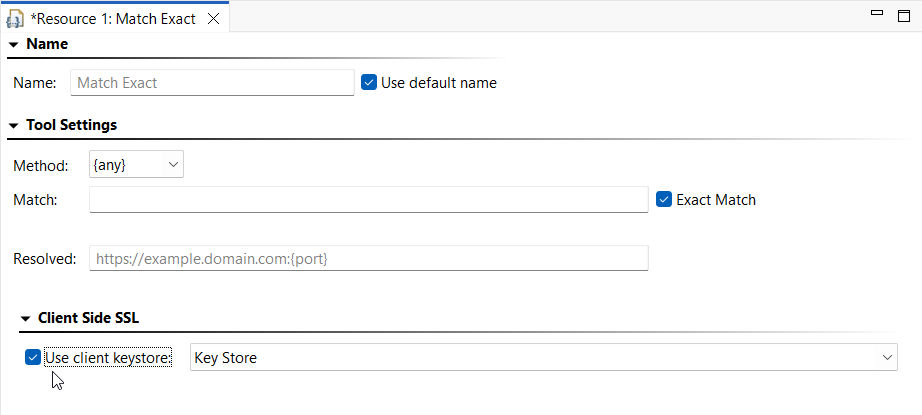
Smart Test Templates will not use key stores by default; you will need to instruct them to. Open the desired Smart Test Template resource and enable Use client keystore. Choose the appropriate key store from the menu (if you have added more than one) and save your changes.
SOAtest uses the HTTP Header tool to add header fields to your tests. The HTTP Header tool is a special tool that you can only use in .stt files. When SOAtest matches the settings in the Resource Template tool, any headers configured in the HTTP Header tool will automatically be added to the generated tests. You also can use this tool to override header values captured during test creation.
You can configure JSON Assertions chained to Resource Template tools to use values from traffic. Use == or equals as the operator and set the value field [Smart - From Traffic].
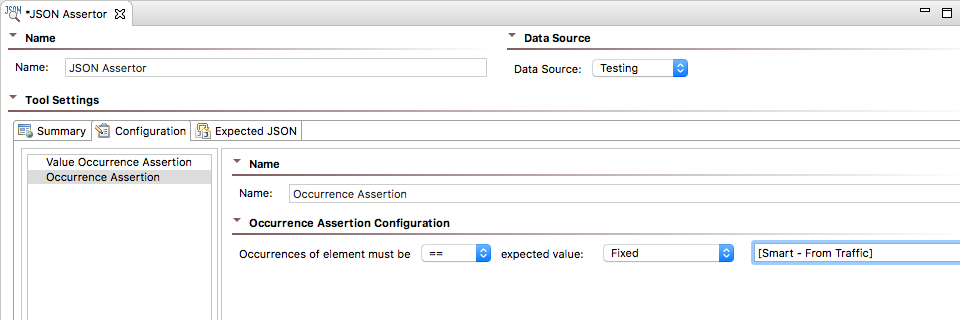
JSON Assertor Behaviors by Type
There are several types of assertions you can use in your tests (see JSON Assertor for additional information). The following sections describes how SOAtest applies settings for each type of assertion.
Value Assertions
[Smart - From Traffic].[Smart - From Traffic] and the operation is set to == or equal.1 or 0 if the field is set to [Smart - From Traffic] and the operation is set to ==.Structure Assertions
1 or 0 if the field is set to [Smart - From Traffic] and the operation is set to ==.Difference Assertions
[Smart - From Traffic] and if the traffic value validates successfully.0 if the field is set to [Smart - From Traffic].Range Assertions
[Smart - From Traffic] and the value validates successfully. In this case, the same traffic value will be applied to all fields in the assertion.By default, SOAtest ignores timestamps, but it can be configured to ignore other parameters to fit your needs. See Test Creation Parameters for additional information.
You can apply assertion logic from an existing .tst file to train Smart API Test Generator. See Training Based on .tst Files.
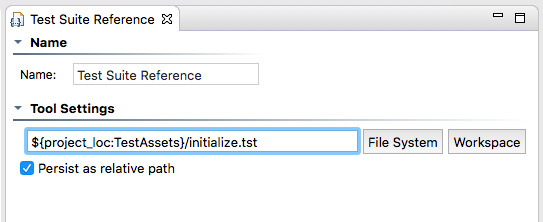
You can reference other test suites in your .stt file, which enables you to include additional set-up steps that may be necessary for your tests to execute properly. Only one referenced test suite will be added per Resource Template tool. Tests included by reference are added as the first test in the generated suite.
Relative paths are relative to the TestAssets project. To reference tests in another project, use the ${project_loc} variable. See Reusing and Modularizing Test Suites for End-to-end Testing for additional information about references.
You can teach SOAtest to generate tests that include authentication settings and JSON assertion logic from existing REST Clients. SOAtest will create an HTTP Authentication or a JSON Assertor rule under the resource template that most closely matches the path specified in the REST Client. If no match is identified, new .stt files will be created that contain resource templates for each REST Client URL. The .stt file(s) will contain Resource Suites and Resource Templates with their Match settings configured to match the REST Client's endpoint.
The match pattern for new .stt files is based on the type of rule you are teaching SOAtest. For authentication, the parent suite match is set using the REST client's scheme, host, and port. The resource template contained in the parent suite will be configured to match to the REST client's basePath and all subpaths and method types.
The parent suite match is set using the REST client's basePath when teaching SOAtest assertion rules and the structure of the test suites. Sub-paths are configured in a nested suite match and/or a resource template match. The resource template will be configured to match the "Exact" field at the specific method type.
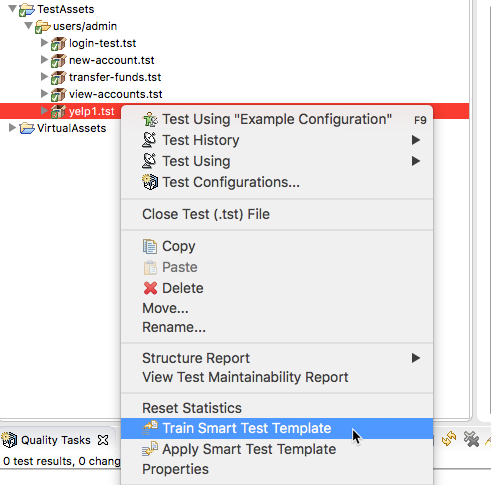
Review the summary when prompted. SOAtest will attempt to match resources in existing .stt files and add new rules accordingly. If a matching .stt is not found, a new file will be created. 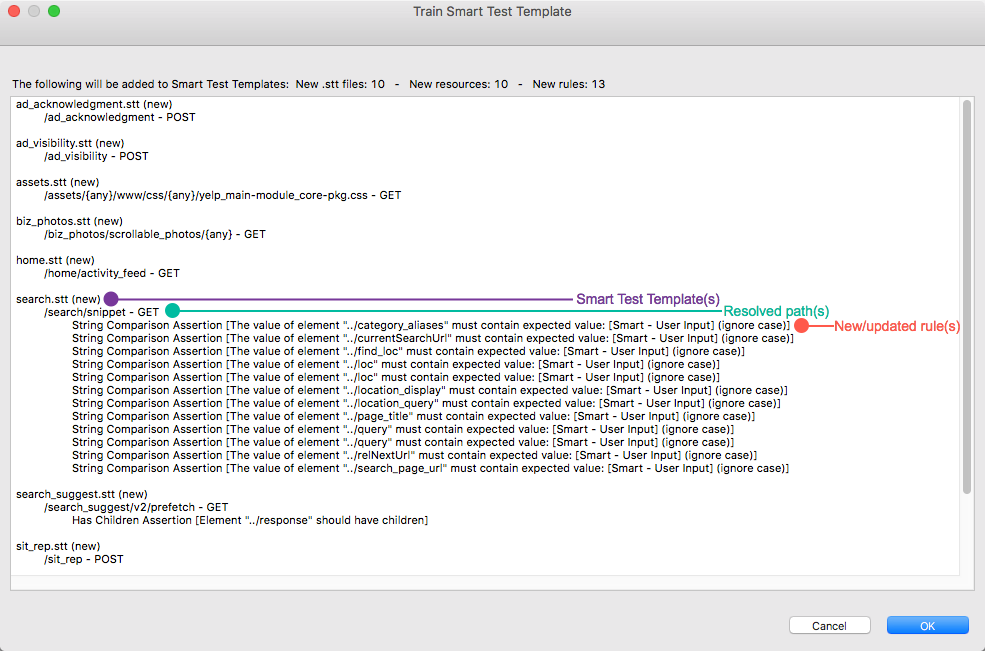
Equality assertions (assertions configured with the New assertions will be added to existing assertors in the .stt file. |
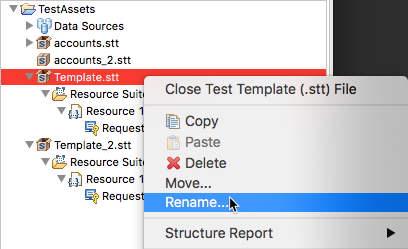
You can update existing tests to use the rules defined in a .stt file. This functionality is helpful if you already have REST Clients and want to quickly apply a standard set of assertions, authentication settings, and headers from a template.
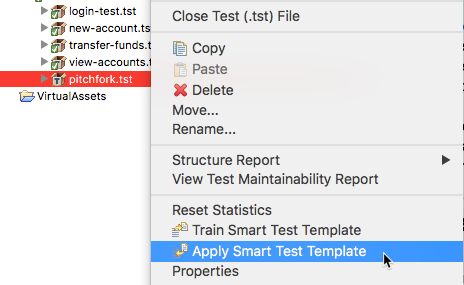
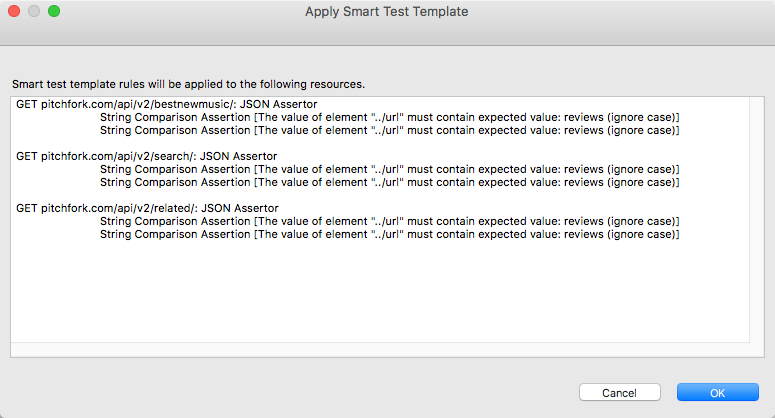
The structure of your test templates will depend on how you want to test your application. The following example .stt represents one way that an application under test (CTP).
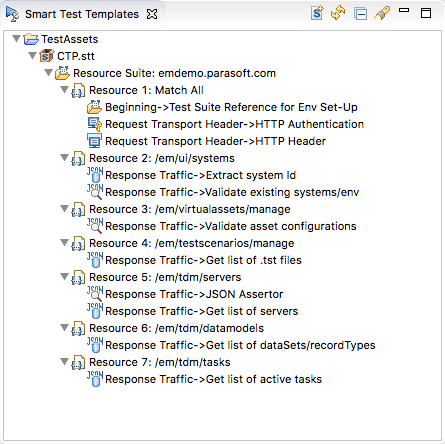
The resource suite is configured to match any scheme, port, and path at host "emdemo." As a result, any tests generated for emdemo will include tools references in the Test Reference Suite. Additionally, tests will be configured with authentication and header settings configured in the HTTP Authentication and HTTP Header tools, respectively.
Each Resource Template points to a specific path under emdemo. Any tests generated for the paths specified in each Resource Template will include configurations from the chained tools. For example, "Resource 3" is configured to match the "/em/virtualassets/manage" path. As a result, tests that contain this path will include a JSON Assertor configured to validate asset configurations that are returned in the response.