...
| Table of Content Zone | ||||||
|---|---|---|---|---|---|---|
| ||||||
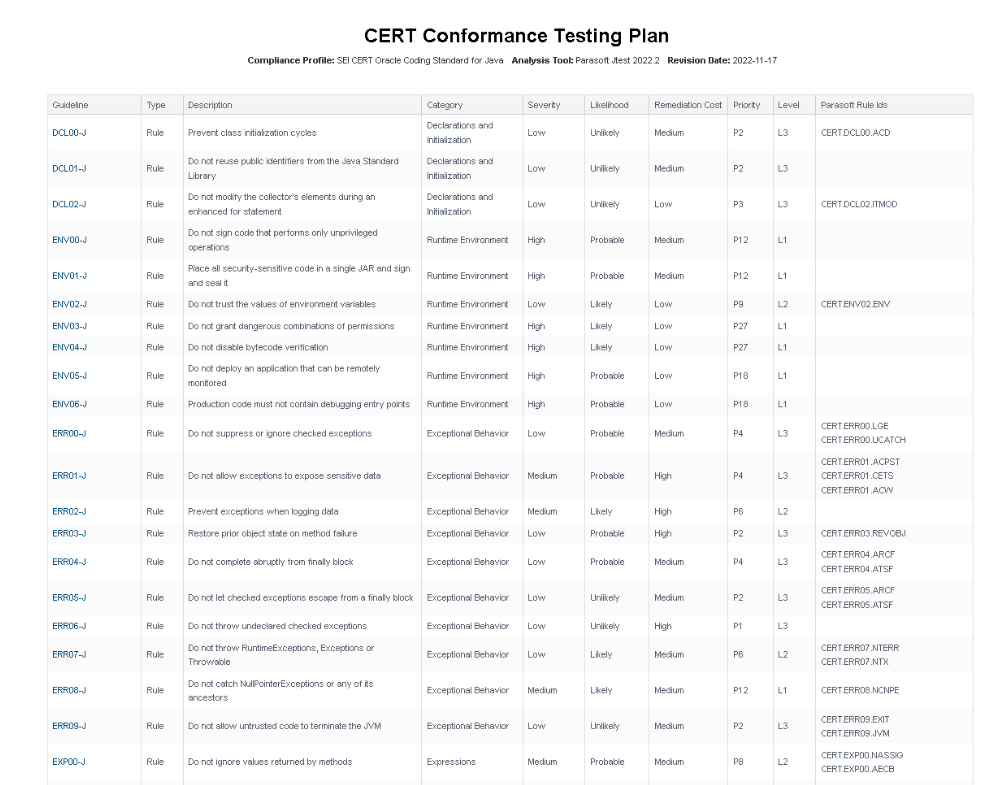
Conformance Testing PlanThe Conformance Testing Plan cross-references CERT guidelines with Parasoft static analysis rules using the data specified in the compliance profile. You can change the severity, likelihood, remediation cost, and other values to meet your project goals by configuring the profile. Click on a guideline to view the CERT documentation on the CERT website.
Deviation ReportYour code can contain violations and still be CERT-compliant as long as the deviations from the standard are documented and that the safety of the software is unaffected. Deviations are code analysis rules that have been suppressed either directly in the code or in the DTP Violations Explorer. See the Jtest documentation for details on suppressing violations in the code. See Suppressing Violations in the Violations Explorer documentation for information about suppressing violations in DTP. Click the Deviation Report link in the CERT Compliance Report to open the Deviation Report. The Deviation Report shows all guideline IDs and headers with deviations. You can perform the following actions:
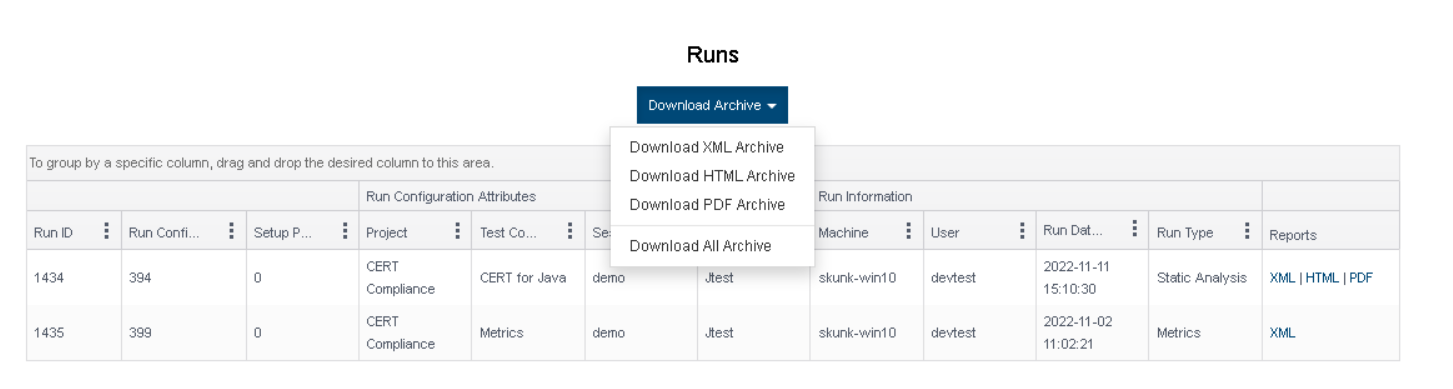
Build Audit ReportThe Build Audit Report is native functionality in DTP. It shows an overview of code analysis violations, as well as test results and coverage information, associated with the build. This report also allows you to download an archive of the data, which is an artifact you can use to demonstrate compliance with CERT during a regulatory audit.
In order to download an archive, the build has to be locked. See Build Audit Report for additional details about this report. |

...