...
| Info |
|---|
Populating the Form Input View from the Literal XML view If you want a simple way to view and work with an existing XML message (such as a sample from developers, traced from the server, from legacy testing tools, and so on), you can copy it into the Literal view, then open the Form Input view. Once a message is copied into the Literal view, the Form Input view is populated in a schema-aware and schema-constrained manner that is much simpler to edit, manage, and parameterize. |
...
Click Add. The Add New SOAP Header dialog opens.
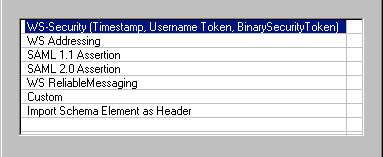
- Select Custom, WS-Security, SAML 1.1 Assertion, SAML 2.0 Assertion, WS Addressing, WS ReliableMessaging, or Import Schema Elementas Header from the Available Header types and click OK. For details about the available options, see:
...