...
- Add a Responder at the beginning of the suite to serve as the entry point for all incoming requests.
- Chain a validation tool (such as a JSON Validator or a GraphQL Query Validator) to the Pre-correlation Incoming Request output of the responder.

- Chain a Text Data Bank to the validation tool. When you're done, you should have a setup similar to the one below.
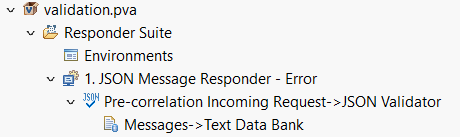
- Configure the Text Data Bank to extract the validation result into a variable. In the example below, it is being extracted into a variable called
validation_error.
- Configure the Responder Correlation of the Message Responder to reference the extracted validation result using one of the methods described below.
- Method 1 - XPath Custom Scripting (preferred):
To use XPath to evaluate the validation results, add an XPath like the following under Responder Correlation > Request Body > XPath:string-length("${validation_error}") > 0Method 2 - Custom Scripting:
To use a script to evaluate the validation results, add a script like the following under Responder Correlation > Custom (Groovy):Code Block def correlateOnValidationError(context) { value = context.getValue("Generated Data Source", "validation_error") return value != null && value.length() > 0 }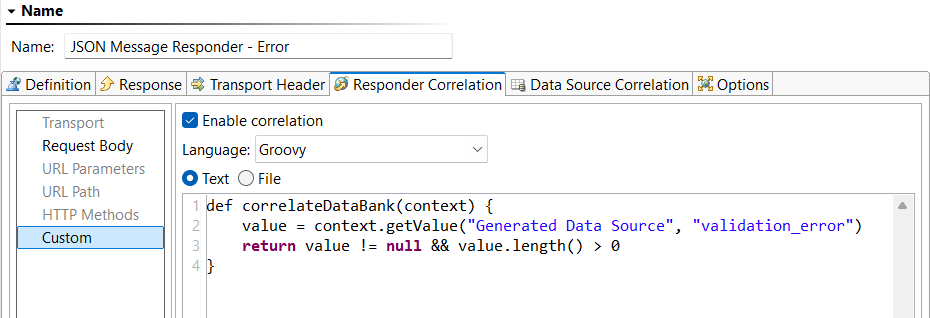
- Method 2 - XPath:
To use XPath to evaluate the validation results, add an XPath like the following under Responder Correlation > Request Body > XPath:string-length("${validation_error}") > 0
- Method 1 - XPath Custom Scripting (preferred):
- Configure the responder payload of the Message Responder to return a custom error message when a request fails validation like the following:
Code Block { "status": 400, "error" : "${validation_error}" }